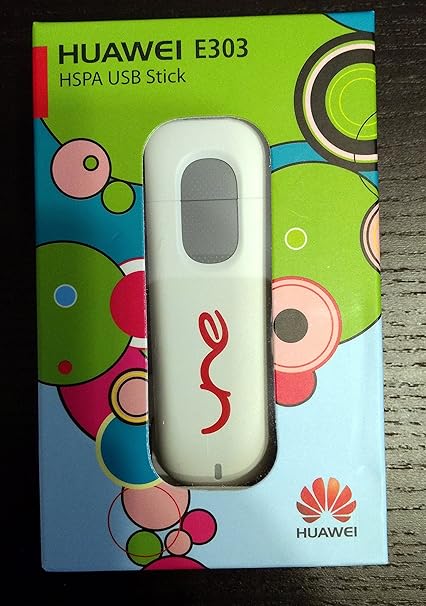
helps on usb modems on linux and probably redirect to www.draisberghof.de to further.forum is-
http://www.draisberghof.de/usb_modeswitch/bb/
signup or register with username and password or captcha phrase is 'option' there -named after much needed and helping module - option.remember its 'option' the language there is quite misleading takes 2 days for me to figure out. last time captcha = option .may be capital letter Option or option or OPTION.
some new usbmodems linux configuration could be trouble making.
If #lsusb -v donot provide exact information as in windows ->control panel ->system -> device manager->modem->properties ->details ->device instance id,hardware ids,compatible ids,matching ids than post in http://pastebin.com and post here link of pastebin.com
switching:-
1) could easily switch by booting to windows and using proprietory vendor's software , connecting internet and immediately rebooting to linux assuming that have 2 operating systems in same machine or can boot linux usb pendrive ,bios can boot from usb with os pendrive and usb modem dongle without having conflicts on two pendrive bus problems. in such fast reboot electricity to usb dongle retain and retain switching. if shutdown method used than it will loose power on usbmodem dongle and it will switch back or off.
2) second method is if already device ref in www.draisberghof.de site has vendor id,product id and target vendor id, product id and someone has alrready configured it then do as there told or copy paste to pastebin.com and gime me a link.http://www.draisberghof.de/usb_modeswitch/device_reference.txt
get vendor id from there.
My case strongrising co.(vendor id 21f5:2008 when not switched 21f5:1000)
DefaultVendor= 0x21f5
DefaultProduct= 0x1000
TargetVendor= 0x21f5
TargetProduct= 0x2008
MessageEndpoint=0x05
MessageContent ='555342430850e782c000000080000671010000000000000000000000000000'
CheckSuccess=20
vendor id will be different that find out.
then make file /etc/usb_modeswitch.d/mymodem.
save.
command for switching.
#usb_modeswitch -c /etc/usb_modeswitch.d/mymodem
#lsusb -v
will get device id is changed.
further notice like
bInterfaceClass 255 Vendor Specific Class
bInterfaceSubClass 255 Vendor Specific Subclass
bInterfaceProtocol 255 Vendor Specific Protocol
this helps to attaching ttyusb 0,1,2,3,4
or else ttyACM0,1,2,3,4
#modprobe option ( for ttyusb)
#modprobe cdc_acm (for ttyacm0)
for strong rising co
#modprobe -v option
#sudo chmod 774 /sys/bus/usb-serial/drivers/option1/new_id
#echo 'vendor id product id' > /sys/bus/usb-serial/drivers/option1/new_id
#dmesg |tail
3)usb snifffing - this method is hardest of all and if find message string than inform draiberghof.de than could be contributor and all usb_modeswitch package will reatain findings.goto usbsniffing below. this method is only if there is no mention of vendor id and target product id in device ref in draiserghof.de or in distro package inside /etc/usb_modeswith.d or in google search could not be found.
activating:-
driver usbserial(all linux distro maintain by kernel maintainer Greg kroh hartman ) or option driver (option mobile phone linux driver may be in norway)
1)get info by
#modinfo option
#modinfo usbserial
2)this is attaching sequence stick to sequence. every thing depends on its being successful.
use sudo for ubuntu or su for redhat distros.
commands
#modprobe -v option
#sudo chmod 774 /sys/bus/usb-serial/drivers/option1/new_id
#echo 'vendor id product id' > /sys/bus/usb-serial/drivers/option1/new_id
#dmesg |tail
shows tied up with ttyusb0 ttyusb1 ttyusb2 (vendor class specific 255 modems)
or ttyACM0 ,ttyACM1,ttyACM2,ttyACM3 like on (cdc class devices)
3)if and only if option cant be loaded then use module usbserial.ko
#modprobe -v usbserial vendor = 'xxxx' product = 'xxxxx'
#dmesg|tail
as previous now tied up with ttyusb0 tttyusb1 or ttyACM0 or others will be show if successful.
see in dmesg or /var/log/message file.
4) for cdc class devices
#modprobe cdc_acm
usbsniffing-
this could arise hacking ethic as vendor would not like sniffing into their product.
google search 'usb sniff tool' will direct to site.or get link from draisberghof.de.http://www.pcausa.com/Utilities/UsbSnoop/default.htm
download usbsniff2.0 version (previous version.1 donot work.)
this tool only works on win xp so log into windows xp.
then unpack , run.
put usb dongle in pc 's port then different programs will be interacting same tim in usb sniff programes dialog box install filter on usb composite device no,yes three could appear put on all three and usb modem device no,yes put on all three install filters.
INSTALL filter on usb modem all three
yes installed
no installed
no installed
installed filter on usb composite device all three
yes,no,no (all three) installed
during sniffing plug unplug replug while modem is being detect by windows or dialing software.
else unplug modem remove from pc and plug again.
detect modem sniff data is at that event.
usb snoop log file inside working windows directory probably c:windowsusbsnoop.log.
usbsnoop.log will increase in size each time plug/unplug or click on replug in usbsniff dialogbox.
paste in http://pastebin.com give here link or directly post on
http://www.draisberghof.de/usb_modeswitch/bb/ forum. remeber during sign up password or captcha is word = option.
If that doesn't work redo sniffing process till untill
bulk out '557323.........' this type of message string is not found.message string 'surprise_removal' is must suspicious.
Now if successful will have-
DefaultVendor= 0x21f5
DefaultProduct= 0x1000
TargetVendor= 0x21f5
TargetProduct= 0x2008
MessageEndpoint=0x05
MessageContent ='555342430850e782c000000080000671010000000000000000000000000000'
vendor id will be different that find out.
then make file /etc/usb_modeswitch.d/mymodem.
save.
command for switching.
#usb_modeswitch -c /etc/usb_modeswitch.d/mymodem
#lsusb -v
device id is changed.
now process to attaching driver.
#dmesg
see the change.
#modprobe option
#sudo chmod 774 /sys/bus/usb-serial/drivers/option1/new_id
#echo 'vendor id product id' > /sys/bus/usb-serial/drivers/option1/new_id
#dmesg |tail
could be seen ttyusb0 or ttyACM0 stuffs. time to time do #dmesg after issueing modprobe or any commands simply to get what is happing for pc or what pc is thinking after each command that is good habit to diagnose problems.
Now else will be wvdial or network manager or kppp.
for any dialer put found ttyusb0 or tty acm0
every thing here is trail and error method.
go on putting 1,2,3,4 and some time will succeed on communicating to modem.
if become member and read all stuffs in www.draisberghof.de could better understandable.
In above # is bash prompt in terminal or console.
in ubuntu oneiric goto dash type terminal you will get.
ubunt natty narwal it is console.
ubuntu needs sudo for each command.
redhat and fedora has su command and called terminal.
my opinion is to download wary 5.2.2 or latest download(google search on what ),burn on usb pendrive with linux live usb creator from http://www.linuxliveusb.com(google search on terms) bios set usb boot since these configurations are really fast .
SEW132
- 3g dongle: zte-mf100, huawei-e156g, vition-e1916, zte-ac582, strongrising-esuv, huawei-e153, huawei-ec1261, zte-ad3812 Get our latest price list Subscribe to get the latest updates.
- Computer Products JAN12 - Free ebook download as PDF File (.pdf), Text File (.txt) or read book online for free.
Strongrising is Qualcomm license partner and top 3 brand in China who has been doing this for about 10years since 2004. Qualcomm 8200 21M download OEM HSUPA (WCDMA) 3G wireless USB modem and 3g data card For the quality,the 40 processes of our 3g modem including 7 strictly testing processes, and our products are 100% testing, you can trust us! Note: See TracBrowser for help on using the repository browser. Download in other formats: Plain Text; Original Format; Powered by Trac 1.4 By Edgewall Software. Imprint Privac.
EW937
EL976
Download Strongrising Drivers
Outline
The product is the Internet equipments that aims at wireless high- speed data business of China Unicom WCDMA network. You can insert opened UIM card of EVDO CDMA service to equipments, with take to have USB to connect an notebook, set type a computer connect with each other,carry out a high speed wireless to get to the Internet, the data delivers function ect.
Product function characteristics
◆Adopt standard USB connect, Connect to directly take to put through USB, take and use conveniently.
◆ The data spreads velocity: Under the WCDMA network environment, the max downlink up to 3.6Mbpses,
◆The card separates from machine, carry out the whole country to automatically travel extensively, don't need to change an account number, retail and use of product conveniently.
◆ The intelligence power management, the automatic orientation power adjusts, ensure the radicle station cuts over and doesn't drop line in the high-speed ambulation, still can keep Internet speed goodly in train or car of high speed ambulation.
◆Connection rate: Inside the scope of move network overlay the connection rate can attain 99%
Download Strongrising Driverpack
| Detailed parameters | |
| Network type | Double mold WCDMA/GSM |
Frequency scope | HSDPA/UMTS 850/1900/2100MH EDGE/GPRS/GSM/850/900/1800/1900MHZ |
| Data delivers rate | 384Kbps(Uplink up) to 3.6Mbps(Downlink up to) |
| Chipset | Qualcomm MDM6270 |
| Connect type | USB2.0 |
| Work electric voltage | 5V |
| Work temperature | —20—55℃ |
| antenna type | Internal Antenna |
| Support SD card | YES |
| Support system | Windows2000/XP/7/Vistad/MAC |
| Appearance | |
| size | 81mm×26mm×11mm |
| weight | 30g |
| Color | white black |
| Product Name | Update Time | Version Number | Download Link |
| 3G Card SEW868 Windows Driver | 2013-08-22 | ||
| 3G Card SEW868 MAC Driver | 2013-08-22 |
Documentation
| Product Name | Update Time | Version Number | Download Link |
Download Strongrising Driver Printer
| Product Name | Update Time | Version Number | Download Link |
| 3G Card SEW868+HD Picture-1 | |||
| 3G Card SEW868+HD Picture-2 | |||
| 3G Card SEW868+HD Picture-3 |
JobsSiteMapFriendLinks400Tel(400-0690-009)Contact UsOffice EntranceService QQ:
Download Strongrising Driver Download
Copyright © 2004-2017 StrongRising TechnologyAll Rights Reserved.
粤ICP备19101634号